Personal assistants, purpose-driven shluchim, and what's in between
What changed in how Grok Bot and similar products are built, and why a team of small shluchim, each with one job, works better than one shaliach who does everything.
Half an hour into a chat, and it already forgot what we agreed on at the start. Goldfish memory, with expert confidence.
(Shluchim, singular shaliach, is Hebrew for “emissaries”. It’s what I call my AI helpers.)
Know that feeling? You explain everything down to the last detail, and then it suggests exactly what you ruled out twenty messages ago.
Why this happens:
In most tools today, every new task is a new chat. You hit the plus, and start from zero.
And when you stay in the same chat for a long time, it summarizes what came before for itself, and important details fall off along the way.
Meaning, the model is fine. We just put all the work into one conversation.
I watched a Grok Bot workshop on YouTube about this. It lined up in my head something I was already doing in practice.
One shaliach, one job:
In Grok Bot, every shaliach gets a very specific role, and stays in the same conversation for months.
When there’s heavy work, it spins up small helpers for itself, each with its own context window. That way the main chat doesn’t clog up.
For me it looks like this:
- Basher is chief of staff. Any request about the shluchim, he passes to Yosef Yitzchak.
- Yosef Yitzchak runs the blog and hands work to the team.
- Ben writes the posts, including this one.
- Kinneret checks the voice, so it sounds like me.
- Kochava publishes to the site.
- Codex prepares images.
- Lauren handles Facebook.
We have a shared team group, and everyone sees what’s going on there.
And nobody publishes anything before I approve.
Each of them mostly remembers what relates to them. So the important details stay with them.
The interface is separate from the work:
This is the part that made the most sense for me.
The chat on the phone is just the remote. The work itself runs on one computer in the cloud, that all my shluchim share.
Each shaliach has its own desktop there. One can be in Figma, and another in a Google form, at the same time.
You can peek at a shaliach’s screen in real time, and you can also take control when you need to.
And most important, you close the laptop, and the shluchim keep working.
What they showed in the workshop:
Three shluchim worked together on a sticker series.
Original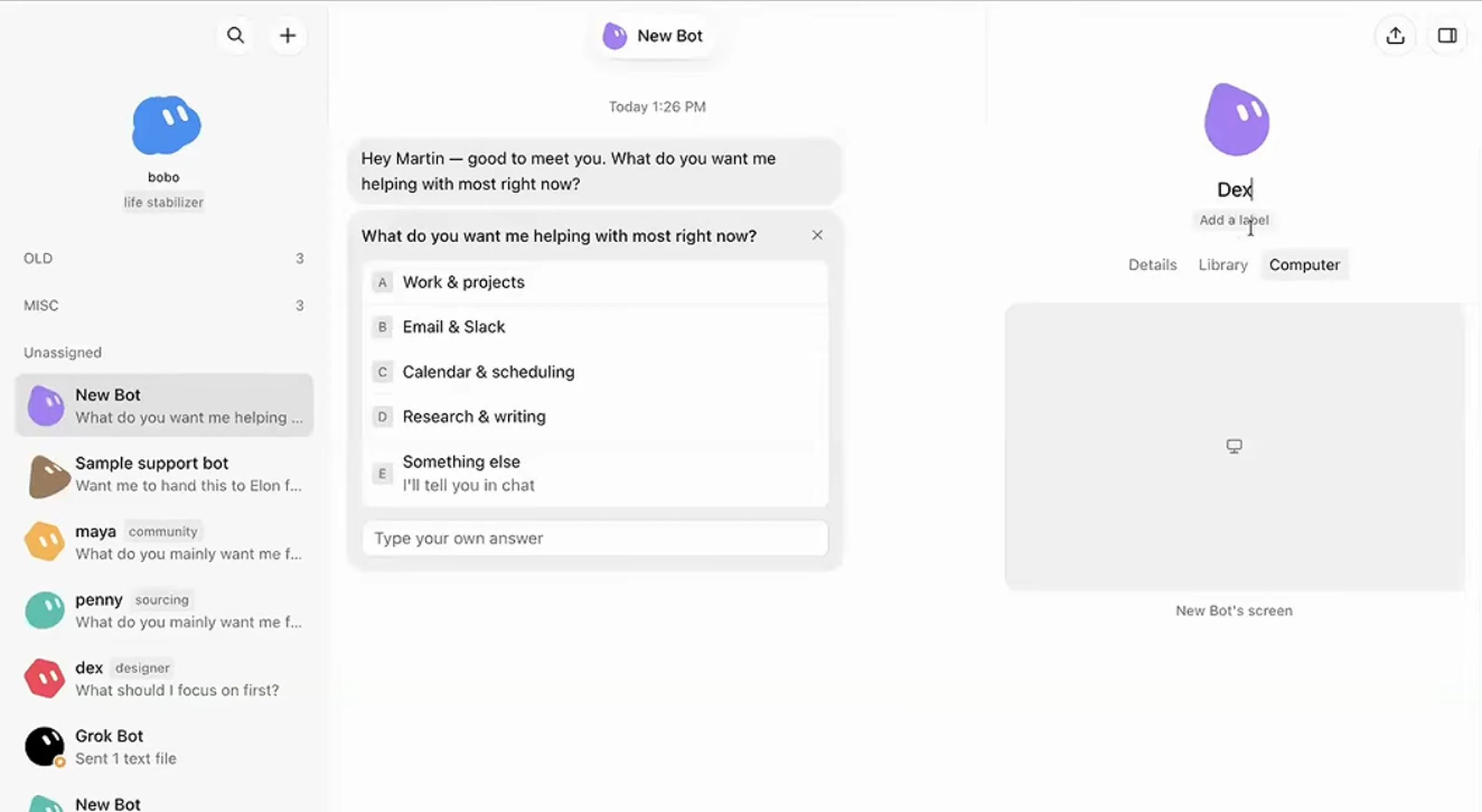 Pinch, double-tap or scroll over the image to zoom. Drag to move.
- The designer read the brand file in Figma, and made stickers from the colors and shapes.
- The community manager learned to create a Google form from one on-screen demo. Then she got a screenshot from the designer, and opened a live poll for the audience.
Original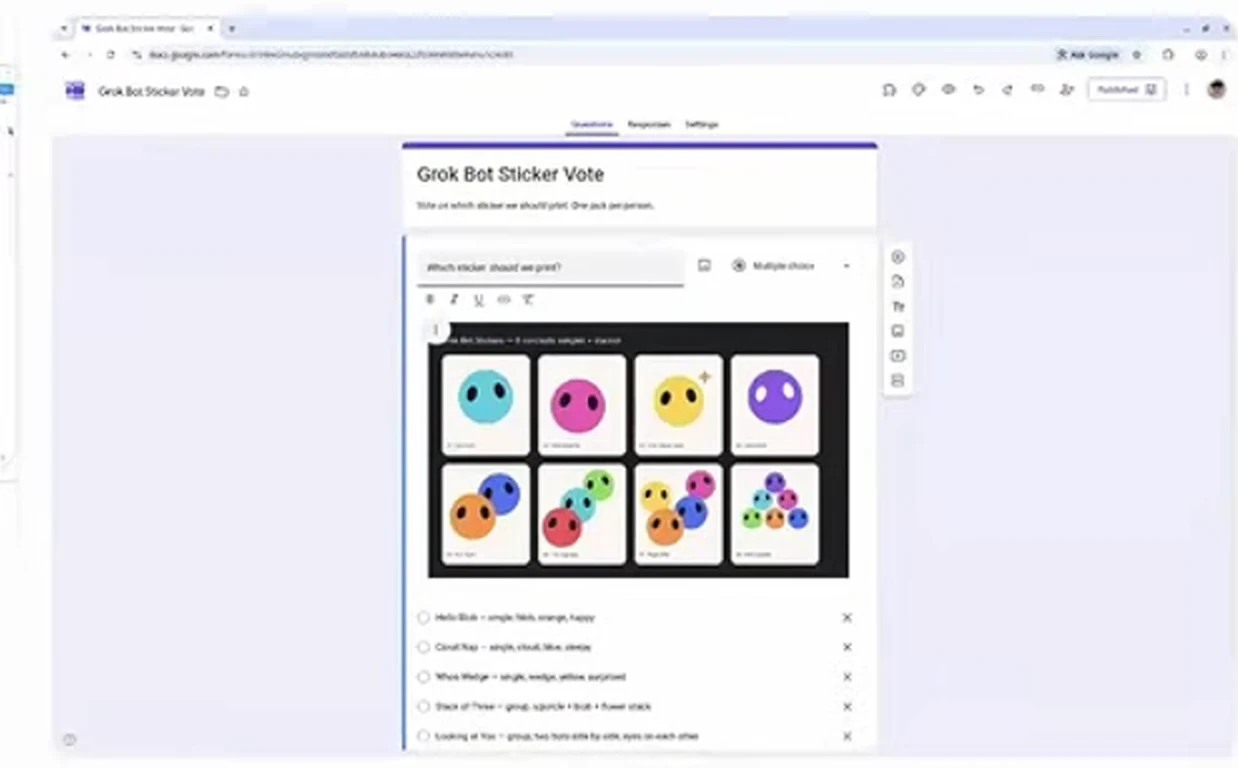 Pinch, double-tap or scroll over the image to zoom. Drag to move.
Original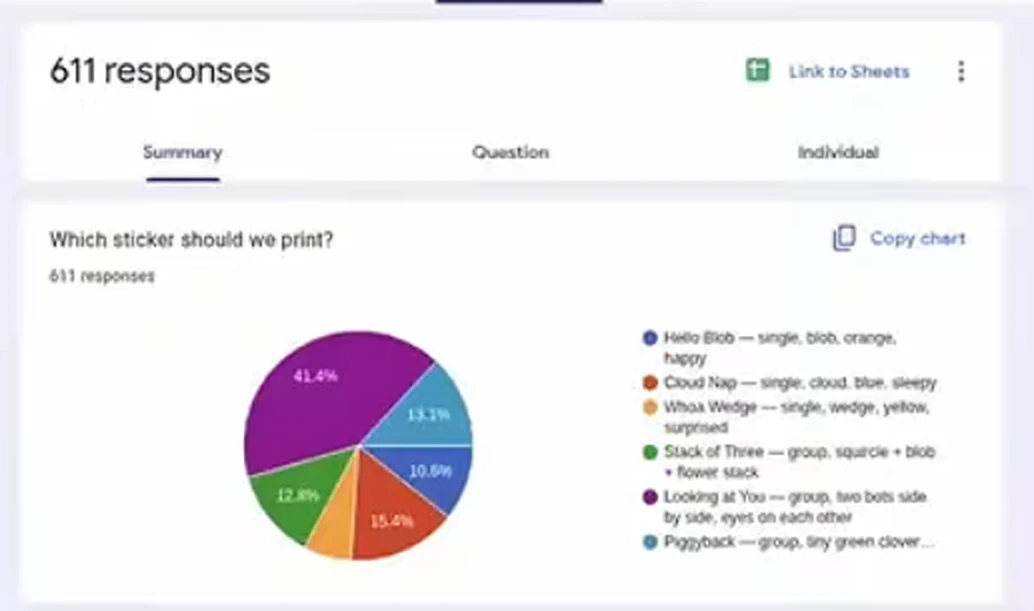 Pinch, double-tap or scroll over the image to zoom. Drag to move.
- The purchasing shaliach got a voice instruction, and looked for print shops around New York.
In the end, the presenter’s personal shaliach was promoted to chief of staff. From that moment the presenter only talked to him, in a group chat.
And the part I loved most: the live attempt to make new stickers failed mid-way, and the presenter simply continued with stickers prepared earlier.
There’s no such thing as a live demo that works with no glitches.
Original Pinch, double-tap or scroll over the image to zoom. Drag to move.
From a prompt box to a colleague:
In the workshop they showed it as a process:
- You ask a chat a question and get an answer.
- You connect tools, and work together on a task, step by step, on the laptop.
- You take the work off the laptop, and hand a finished result to a shaliach.
- A whole team of shluchim, and later also a chief of staff.
To me, that last stage fits a lot more than code.
The chef, the shaliach who plans my meals, fills a cart at the supermarket for me, and stops before payment.
This blog too, from writing until it goes live, goes through a team.
A time to run and a time to stop:
A team that works on its own needs clear boundaries.
In Grok Bot’s settings you can set rules. For example, that before it creates a form or sends an email, it asks first.
For me the rule is simple: whatever goes out under my name, goes through me.
So what’s still special here, in my view:
This part is no longer from the workshop. This is how I feel from working with my team.
- The interface behaves differently. And that simply makes me work differently with the whole system.
- The cloud computer is available to me from anywhere.
- Routines in natural language. You write what needs to happen and when, and it happens.
- You can connect outside tools, like Codex and Claude. And still, the central control stays in Grok Bot.
- The product moves really fast. New versions come out twice a week, with new features.
Okay, how to start:
- One shaliach for one job. For example “the one who writes the posts”, instead of “general helper”.
- Give it a name and a clear role description. That way you also know who to turn to.
- When you have several shluchim, put one in charge. You talk to that one, and it assigns the work.
- Decide ahead of time what waits for your approval. For example publishing, or anything that goes out under your name.
- Something that repeats? Show the shaliach once on screen, and it will save that as a skill you can run again.
Tip: a file you pick up from:
Ask your shaliach to create a central handoff file, like HANDOFF.md. A living file that carries the work from one day to the next. At the end of the workday it updates what got done, what’s left, and what was decided. In the morning you open a new chat, and continue from there.
And if you want stickers:
Original Pinch, double-tap or scroll over the image to zoom. Drag to move.
Want a pack of stickers of shluchim? Message me in the shluchim WhatsApp group, and maybe a sticker pack will reach you too.