Keilu's Warehouse
Ideas, documents and decisions you worked on with AI get buried inside chats. For me, everything goes into one warehouse outside the AI tool, Linear in my case, and I just tell my shaliach "save it to the warehouse for me". That way it's clear where everything is, and tomorrow you can pick up right where you left off, even with a different tool.
Your best idea from this week is buried right now, somewhere in a chat with AI. Good luck finding it. (Shluchim, singular shaliach, is Hebrew for “emissaries”. It’s what I call my AI agents.)
Where do you put all of this:
You have an idea. You started working on it with AI, maybe it already turned into a document, maybe some little tool you’re building.
Meanwhile, more things came up that you’ll want to get back to. So this is the time to pick a warehouse.
One place where your work goes. For me it’s Linear (a task management system). For you it can be any system you’re comfortable with. monday, ClickUp, Google Drive, Dropbox, Google Keep, Trello, or anything else that works for you.
And if none of them really fits, maybe it’s time to build a warehouse of your own. That could be a pretty cool project too. Keilu’s Warehouse 2.0, I’m looking at you 😇
What matters is that the warehouse lives outside the AI tool, and that the connection between them is really easy.
Original Pinch, double-tap or scroll over the image to zoom. Drag to move.
Why do you even need a warehouse:
A chat with AI is a great place to think. But a lousy place to keep things.
The chat gets longer, you open a new one, and the good version gets buried somewhere in the middle. And the AI doesn’t always remember what you decided last week.
One warehouse solves that. One place where everyone can see what the idea is, what was decided and what the next step is. You, the shaliach, and even a tool you haven’t started using yet.
Original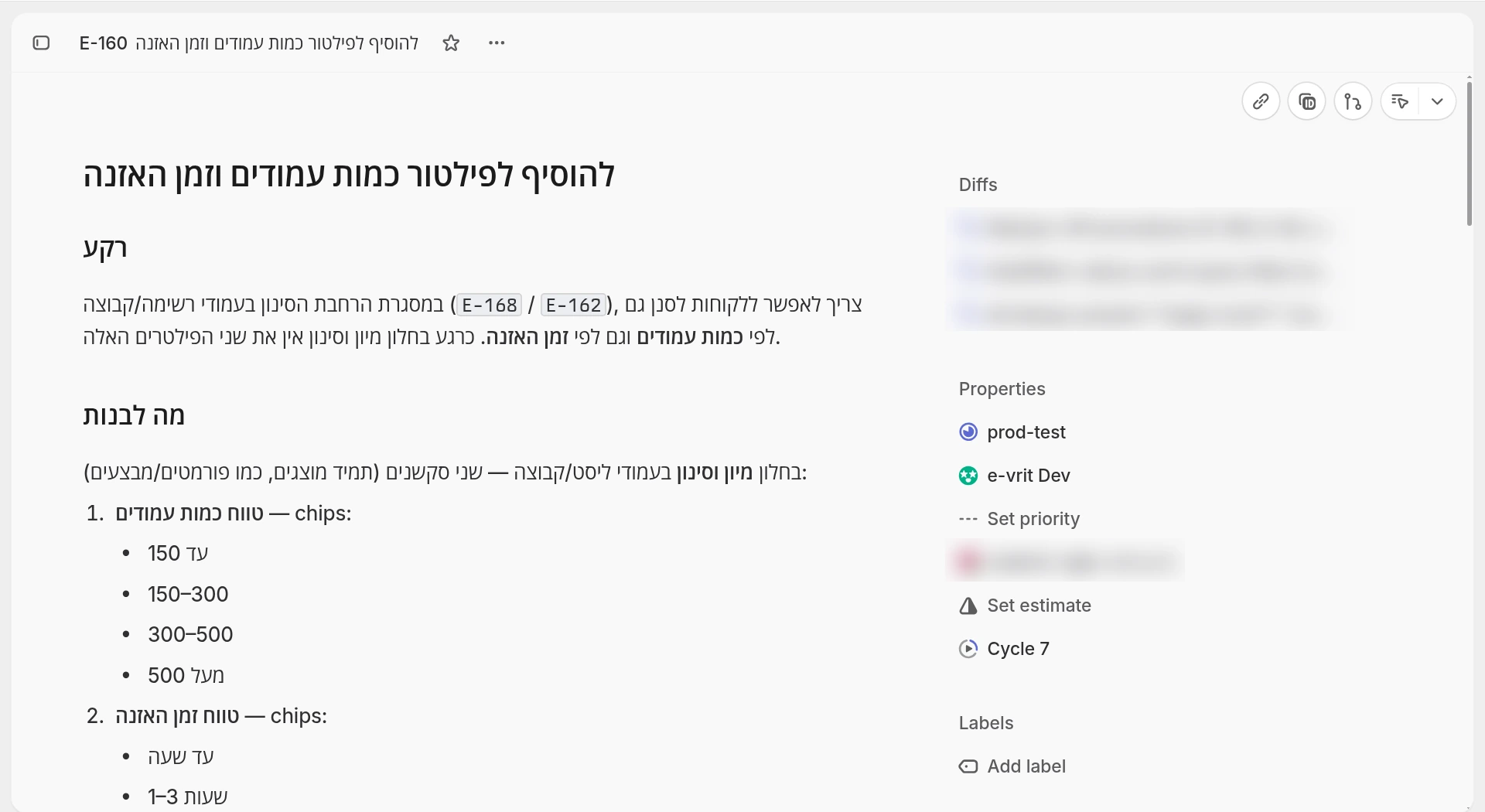 Pinch, double-tap or scroll over the image to zoom. Drag to move.
Wait, but I only use one chat:
Great. Even then.
You don’t need five subscriptions and thirty shluchim to get to this moment. One idea you started developing is enough, a document you worked on, and a few decisions you made along the way.
A week later, you want to keep going. Now go try to remember which chat had the version you wanted to keep.
The warehouse is the place for things you want to come back to. You don’t need to save every “thanks, buddy” you sent the chat. The work itself, yes.
Not another tool to feed:
For me, this is the whole point. If at the end of every chat I have to copy stuff into another system, I’ve found myself more work. Thanks, I have plenty.
So the first question, in my view, isn’t how pretty the warehouse is. The question is whether your shaliach can read and write in it comfortably.
And don’t settle for an integration logo (a connection between two systems). Test it with a real action: save something, then open it and check it’s really there.
For me it’s Linear, because I already work there anyway. This isn’t a recommendation for everyone to set up a product management system. Pick a place you’ll understand when you open it yourself, too.
“Yo bro, save this to the warehouse for me”:
Say you had a thought for a campaign, a post, an app or a recipe. You talked about it a bit, found a direction, but now you have to head out.
Instead of leaving it somewhere in the chat, you can say:
“Write this idea down in my warehouse. Put in the direction we settled on, the opening we worked on, and the questions that are still open. The next step is writing a draft. Send me a link to what you saved.”
Original Pinch, double-tap or scroll over the image to zoom. Drag to move.
If it’s already an existing task, ask to update it. No need to open a new one every time you say something.
And when you come back, the ask is simple: “Open the post from the warehouse and let’s continue where we left off.”
That’s a lot more useful than “remember we talked about some thing?”.
Four lines that hold the whole thing together:
I wouldn’t start with some fancy structure. For each idea or task, it’s enough to save:
- What we want to do, and why.
- What’s already decided, and what’s still open.
- Where the document, the file or the latest result is.
- What the next step is, and who needs to do it.
And when we’re done, we mark it done. Meaning, not when the shaliach stopped answering, but when the thing we wanted actually came out.
Original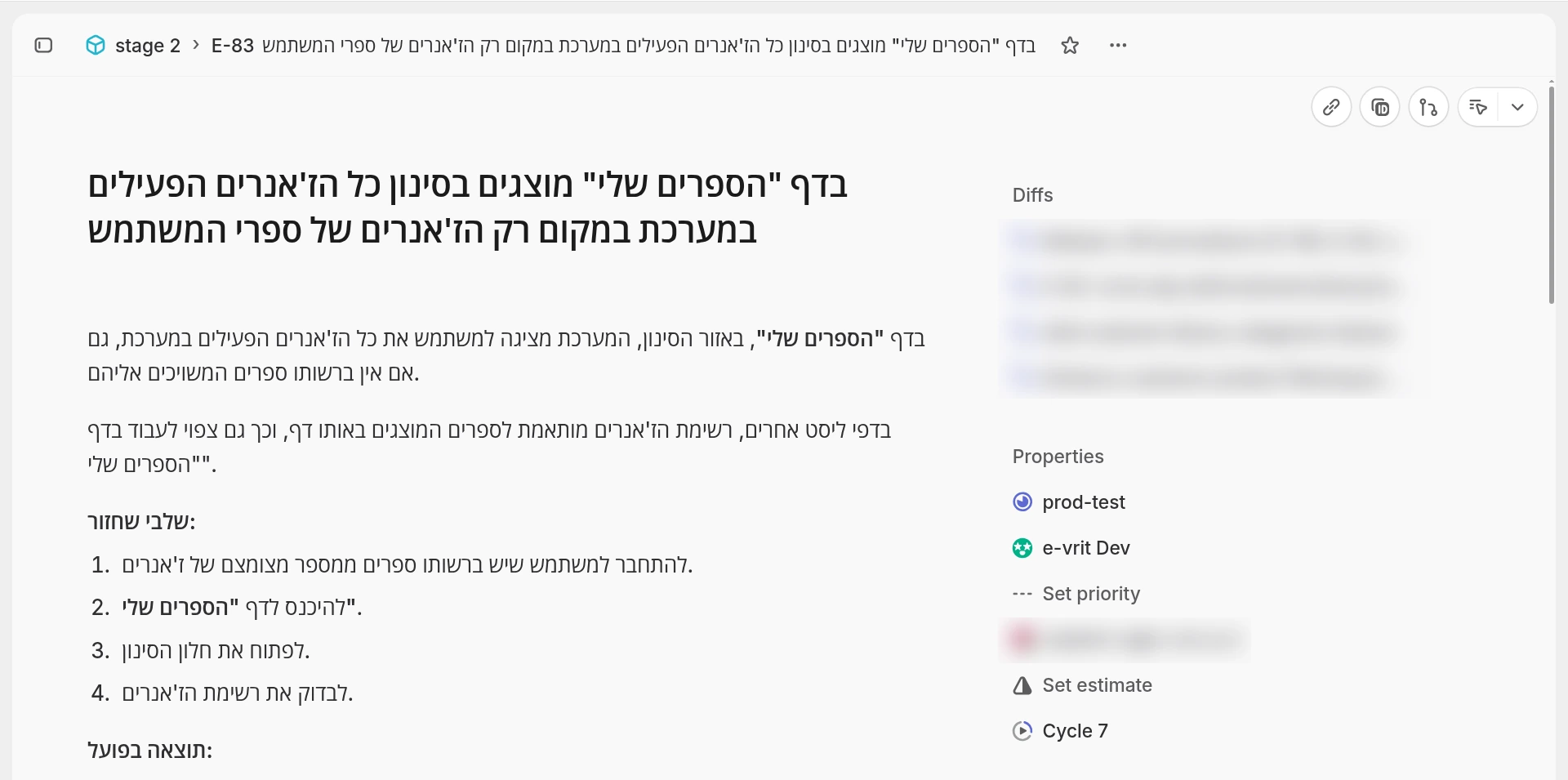 Pinch, double-tap or scroll over the image to zoom. Drag to move.
The warehouse stays yours:
And if tomorrow you want to try a different AI tool? You don’t have to start the whole getting-to-know-you from scratch. You give it access to the same warehouse, and ask it to keep going.
Just make sure to pick a warehouse that’s easy to get your content out of. Otherwise we’ve only swapped the place where we got stuck.
And private stuff stays in a private place. You don’t throw everything into the same folder just because it’s convenient for the shaliach.
Original Pinch, double-tap or scroll over the image to zoom. Drag to move.
Start with one thing you don’t want to lose:
Pick one idea you’re already working on. Ask your shaliach to save it in the warehouse, with whatever it takes to keep going tomorrow.
Then open the link yourself. Is the info there? Does the file open? Is it clear what to do now?
In the next chat, ask it to read from there and keep going. That’s the test.
We talked, we saved, we came back, we kept going.
You don’t have to sort out your whole life today. It’s enough that your next idea has a place to come back to. For me, at least, it made a big difference.