Software as (small) gifts
A keyboard-language mistake became TypoSwap, a personal gift for Mac and Windows, with our private joke and tear-open installation. Still a test version.
We’re used to giving the people we love a book, a piece of clothing, a gadget, or even, heaven forbid, a gift card.
I think it’s time to give software too. Something we built especially for them, that solves a problem and hides a joke only we understand.
Following disposable software that you build, use and throw away, there’s room for software you build in someone’s honor.
Original Pinch, double-tap or scroll over the image to zoom. Drag to move.
First, find a problem:
Like any good product, first we find a problem. We’re Jewish; this shouldn’t be complicated.
Make sure it hurts enough, or happens often enough, for the person we’re building for.
From there, open a conversation with your coding shaliach and ramble away. Out loud or through a transcript: what bothers them, what would help, how we’ll know the software did its job and which private joke to put inside.
(Shluchim, singular shaliach, is Hebrew for “emissaries”. It’s what I call my AI agents.)
Do this in Plan mode (planning before building). Ask it to research what already exists, understand the limitations and suggest a work plan. If there’s an interface, you can ask for a few sketches before building.
For more structured work, try Matt Pocock’s skills or pstack, instruction files for the coding shaliach. I’ll write more about this later.
Hey, hey, you’re writing in Yiddish:
A colleague at work, a team lead, kept getting caught by a mistake we all make: typing Hebrew with the keyboard set to English, or the other way around. Then someone next to us says, “Hey, hey, you’re writing in Yiddish.”
Gibberish, of course. But for us it’s become a private joke. Seeing how much it annoyed him, I thought: wow, what a great gift.
The idea was a small tool for Windows and Mac, sitting quietly and suggesting a correction when needed. After the correction, it would throw in something Yiddish for our joke.
Original Pinch, double-tap or scroll over the image to zoom. Drag to move.
What I asked the shaliach for:
I opened a conversation in Plan mode and explained what I wanted to build. First, research and a plan from above: how to detect a mistake, when to suggest a correction and what’s possible on each operating system.
I barely touched visual design. To me, the tool should be almost invisible, appearing when needed to help. I added the story about my colleague and the joke during planning.
My original TypoSwap prompt
English translation of my original prompt. The Hebrew original is available below, verbatim.
I want to build software that takes care of it whenever I accidentally type in English and get Hebrew and vice versa, it needs to be available across the whole computer and available for Windows and Mac, it needs to be super efficient so it barely affects memory and storage on the computer
and the goal is simple, you typed something in English that you wanted in Hebrew or typed in English that you wanted in Hebrew, something super unclear comes out, the software should let you select the text and extremely easily, using a keyboard shortcut or right-clicking and choosing an option that exists there after you install the software, it immediately changes it to Hebrew or English as needed.
It's very important that it really works very well before everything else, meaning the detection that the text really came out wrong should be excellent so it can also immediately suggest would you like to replace it and did you mean... and not just something you can use passively;
Original Hebrew prompt, verbatim:
אני רוצה לבנות תוכנה שדואגת לי כל פעם שאני מקליד בטעות באנגלית ויצא לי עברית ולהפך, צריך להיות זמין ברמת כל המחשב וזמין למעכת ההפעלה ווינדוס ומק, זה צריך להיות סופר יעיל שכמעט לא משפיעה על הזכרון והאחסון במחשב
והמטרה היא פשוטה, הקלדת משהו באנגלית שרצית בעברית או הקלדת באנגלית שרצית בעברית, יוצא משהו סופר לא ברור, התוכנה אמור לאפשר לך לסמן את הטקסט ובקלות קיצונית על ידי קיצור מקלדת או לחיצה על מקש ימיני ובחירה מאופציה שם שקיימת אחרי שהתקנת את התוכנה זה ישר יעביר לך לעברית או לאנגלית לפי הצורך.
חשוב מאוד שזה באמת יעבוד ממש טוב לפני הכל , כלומר שהזיהוי שהטקסט אכן לא יצא תקין יהיה מעולה כך שזה יכול ישר גם להציע לך האם תרצה להחליף והתכוונת ל... ולא רק משהו שאפשר להשתמש בו בצורה פאסיבית;
Seeing the plan from above
Illustrative reconstruction based on the story · Plan mode
The experience should be almost invisible. The tool sits quietly, appears when needed, corrects with a click and moves on. Let's not get into visual design now.
First, show me the work plan from above.
Coding shaliach
Proposed plan before we start building:
- Research detection of keyboard-language mistakes and the limitations on Windows and Mac.
- Define when to offer a correction and what happens when detection is wrong.
- Build the conversion and check how to return the corrected text to the application, then add the joke.
- Test the behavior and prepare a ZIP package for delivery.
What changed during the build:
We named the tool TypoSwap.
The goal: turn akuo nv akunl into שלום מה שלומך (“hello, how are you”), without typing it again.
We built the engine in Rust (a programming language), focusing on low resource use. It maps key positions between Hebrew and English and detects mistakes using word and letter-sequence frequency. Processing is local, without storing typing history.
We connected the core to native Mac and Windows components. We added an action on selected text, a configurable keyboard shortcut and a suggestion beside the cursor.
Then testing changed the solution. Mac permissions and some applications made direct text replacement difficult.
We moved to a “Ready to paste” flow: the tool prepares the correction on the clipboard, and the user selects the text and pastes.
Original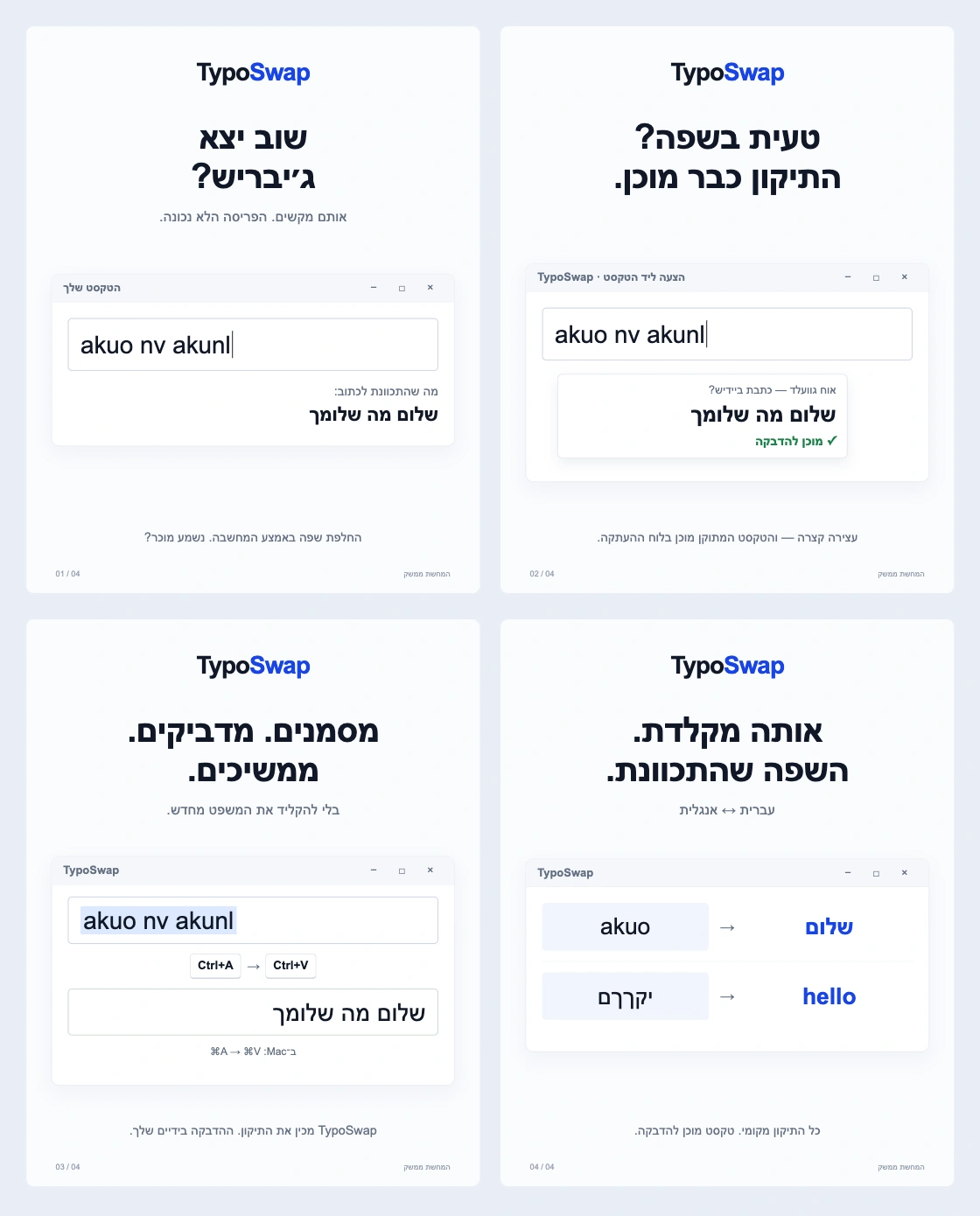 Pinch, double-tap or scroll over the image to zoom. Drag to move.
Interface illustration: TypoSwap prepares the correction for pasting. Select the text and paste, without typing it again.
The popup disappears after a few seconds. We also put in “Oy gevalt” for that Yiddish joke.
We wrote tests for the core, preparing the clipboard correction and installation. We packaged test builds for Mac with Intel and Apple Silicon (Apple’s processors), and for Windows x64 (64-bit).
But this is still a test version. My first Windows trial exposed a bug in activating the suggestion beside the cursor. Automated tests and a successful build don’t guarantee it works in every application.
A gift in a ZIP file:
Now the gift is wrapped in a ZIP file, with test versions for both systems. Once I’ve made sure the flow works properly, I’ll send it to my dear colleague.
I hope it saves him that annoying moment, and makes him laugh along the way.
Original Pinch, double-tap or scroll over the image to zoom. Drag to move.
What the installation experience looks like
A simulation of Windows installation: extract the ZIP, open a gift, choose a keyboard shortcut and try a correction. The video is a simulation, not proof that the bug was fixed or the installation actually tested.
Original simulation file (MP4)
My original installation-experience prompt
English translation of my original prompt. The Hebrew original is available below, verbatim.
How can we create an installer file that, when you install it, makes you feel like you received a gift, and your installation process includes opening the gift (the zip), just like the experience of tearing gift wrap and removing the things wrapping the gift
Original Hebrew prompt, verbatim:
איך אפשר לייצר קובץ התקנה שמתקינים אותו מקבלים הרגשה כאילו קיבלת מתנה והתהליך התקנה שלך כולל לפתוח את המתנה(את הזיפ) ממש כמו חווית של קריעת נייר מתנה והסרת הדברים של המתנה ממנה
From there we built blue paper with Hebrew and English keyboard letters. You drag, the paper tears and TypoSwap appears underneath. In the native Windows installer, opening the gift is part of installation.
And the next thing I’d like to build: a gift through a link, with wrapping you can swipe open on a phone too.
Original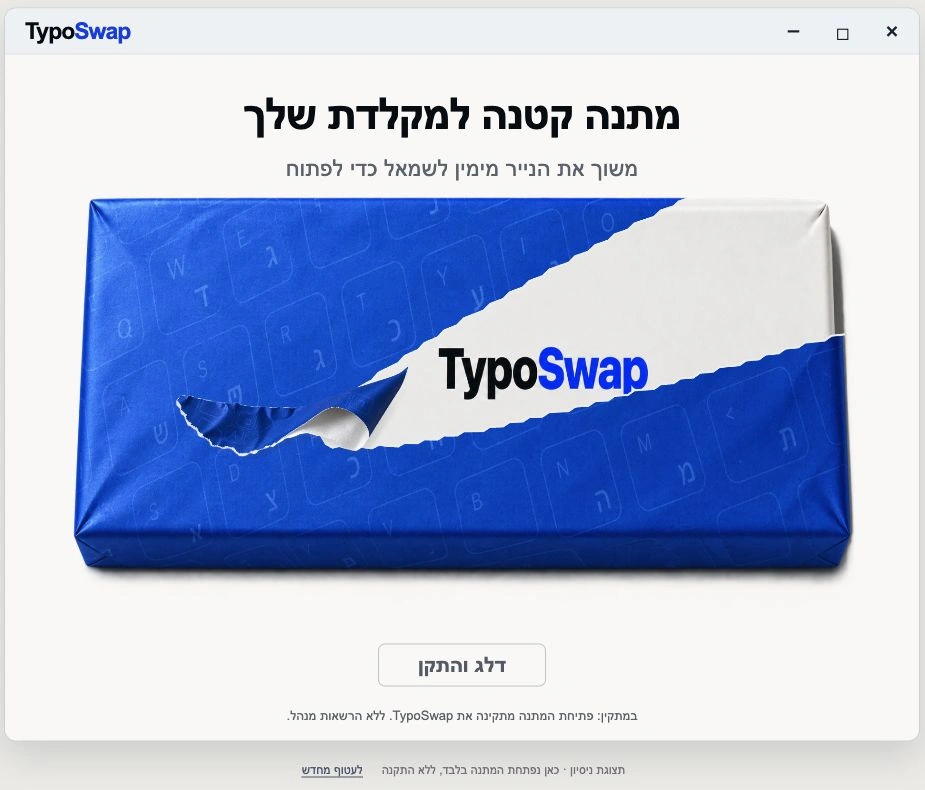 Pinch, double-tap or scroll over the image to zoom. Drag to move.
The gift-opening screen. In the trial view shown here, only the wrapping opens; nothing is installed.
For now, I’d really love you to tell me: what software gifts would you like to see, and who would you give them to?
I’ll build them here in the open, from the problem to software you can give as a gift.
More software gifts:
Orbit Windows
WindowsIn my view, this app changes the whole way you work with multiple windows on Windows.
Original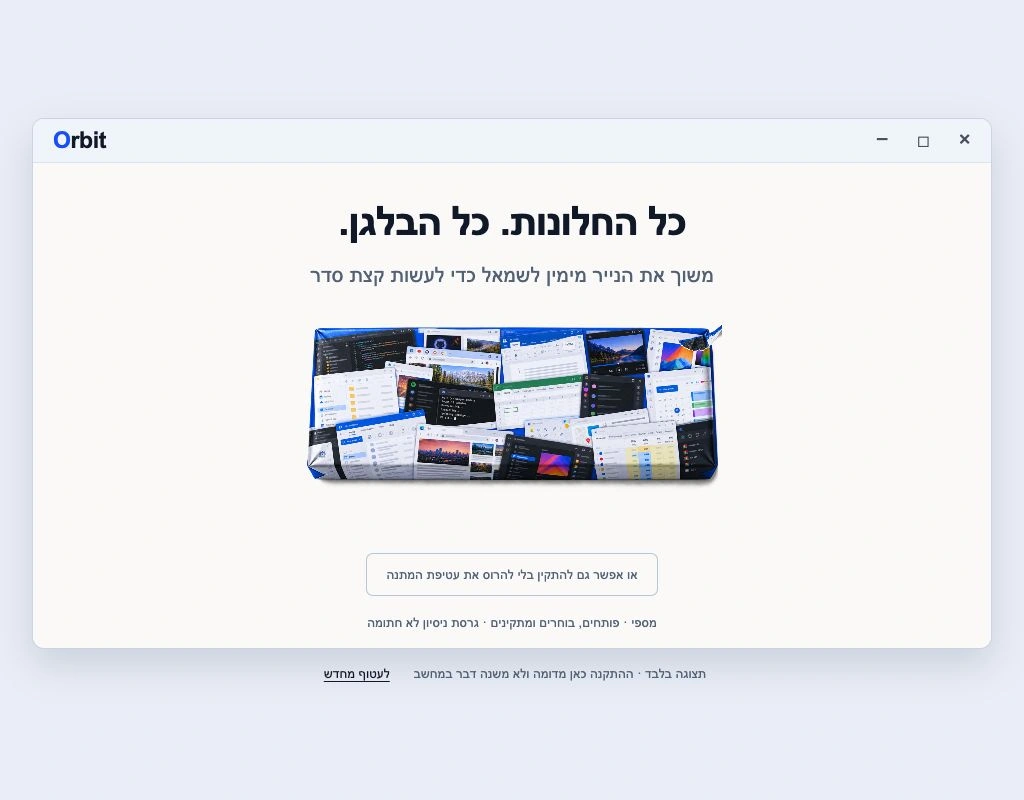 Pinch, double-tap or scroll over the image to zoom. Drag to move.
Kol-Chen
macOSA tool for recording system audio on a Mac, instead of all those awkward workarounds.
Original Pinch, double-tap or scroll over the image to zoom. Drag to move.