Five pieces from my old studio went up on my site in one chat.
I sent photos to Shinlamed, my website's shaliach, approved previews, and my personal art site finally got updated.
I moved studios. I had photos of work from the old place, and my personal site, shinlamed.com, almost never gets updated.
Anyone who creates knows this friction: you spend hours working on original vinyl art, cutting pieces by hand, snap a phone shot on the wall, and then everything grinds to a halt.
Because getting it onto the site means sitting down at a computer, downloading files, cleaning backgrounds in Photoshop, straightening angles, coming up with titles, logging into a CMS (content management system), and running a deploy (going live).
The result: you just don’t have the energy for it. The photos sit in your phone’s camera roll for months, and your portfolio looks like you stopped making art.
So instead of booking another free weekend for tedious grunt work, I dumped the whole process onto Shinlamed, the shaliach in charge of my site. (Shluchim, singular shaliach, is Hebrew for “emissaries”. It’s what I call my AI agents.)
How it worked:
I sent him the raw shots straight from my phone, exactly as they were: crooked photos on a gray wall, a hand shadow in the corner, and some pieces were even lying on their side.
The task I set for him was simple and clear:
1. Clean and straighten. Drop the gray background, fix the angle, and trim the margins.
2. Preview before every step. The rule was strict: show me in chat first, and only push live once I approve. Along the way there were two manual directional adjustments (for a crying face and a face with an acorn).
3. Push to CMS and deploy. The moment I gave the thumbs up, he pushed the files straight into the site’s CMS.
Four vinyl pieces first went up with no name, as “unnamed” (more on that honest part below), and one more went up earlier that same day. Five pieces live on the site in total.
The whole thing took about half an hour and 15 to 25 messages in chat.
Before and after:
The photos I brought were terrible, and that’s totally fine. I bring the messy raw material, and Shinlamed cleans the background, straightens, and fixes the color.
Original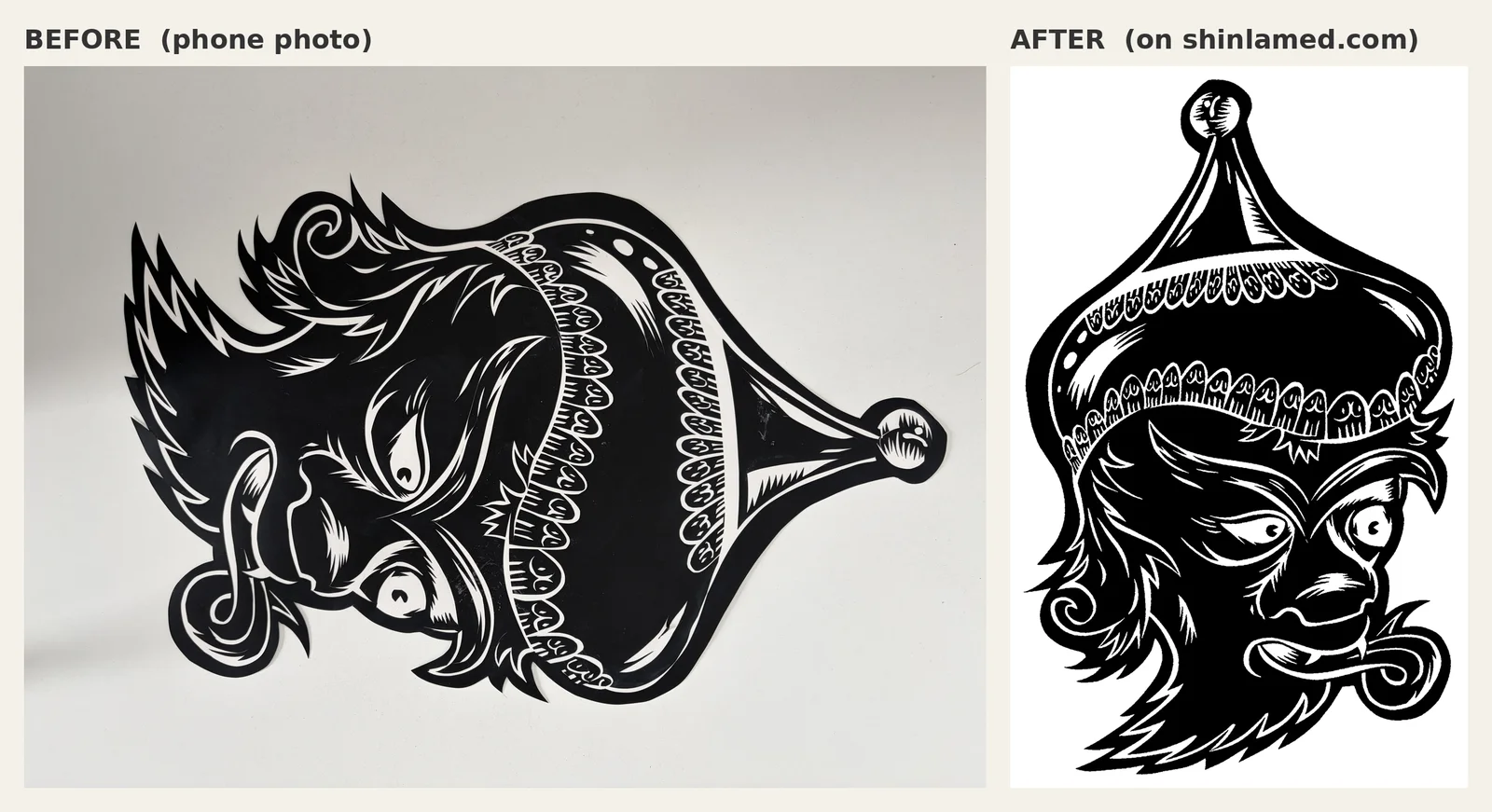 Pinch, double-tap or scroll over the image to zoom. Drag to move.
goblin hat tip. Shot sideways on a gray wall. It went up straight, on clean white, with a title and text.
Original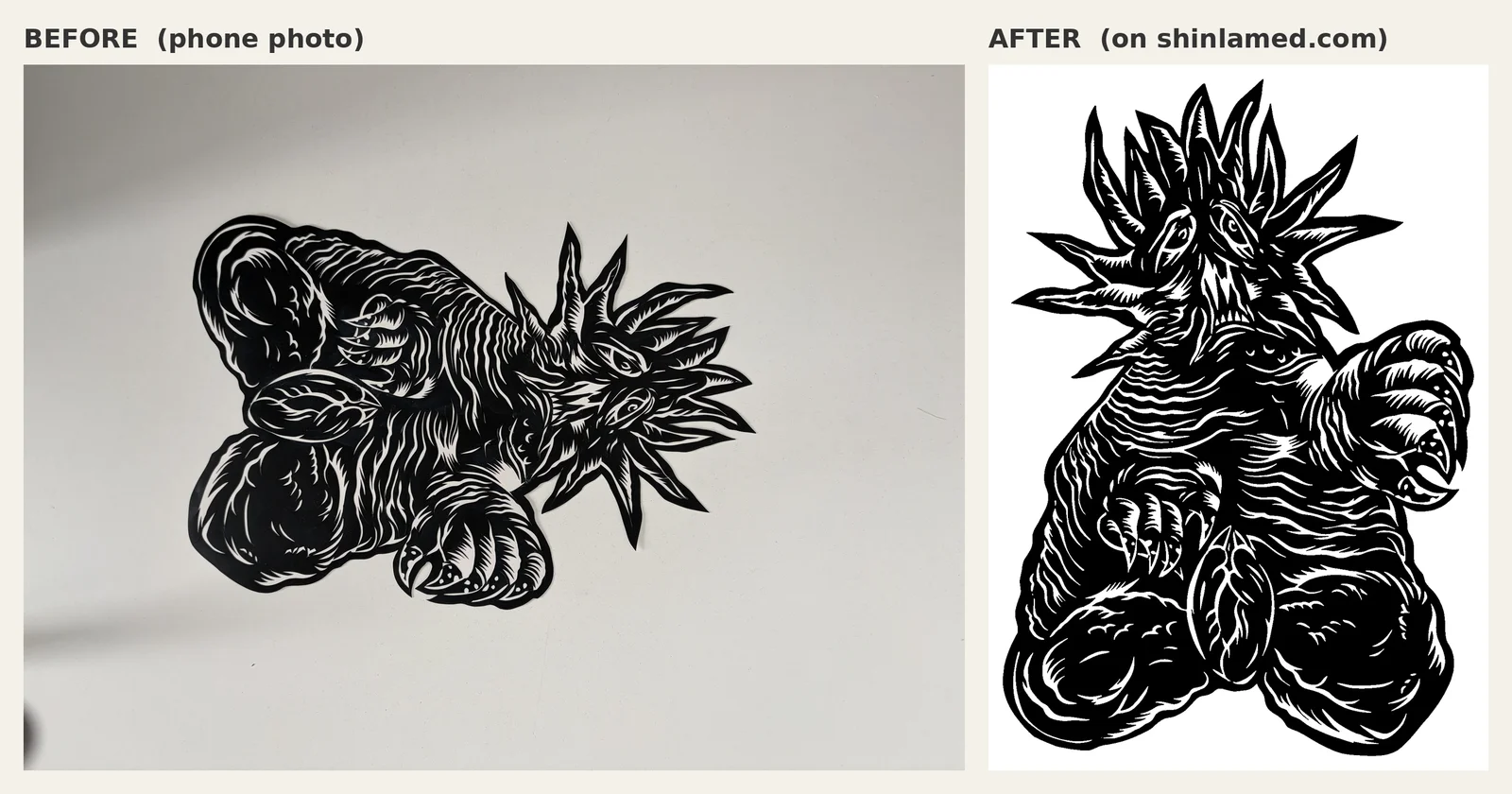 Pinch, double-tap or scroll over the image to zoom. Drag to move.
Original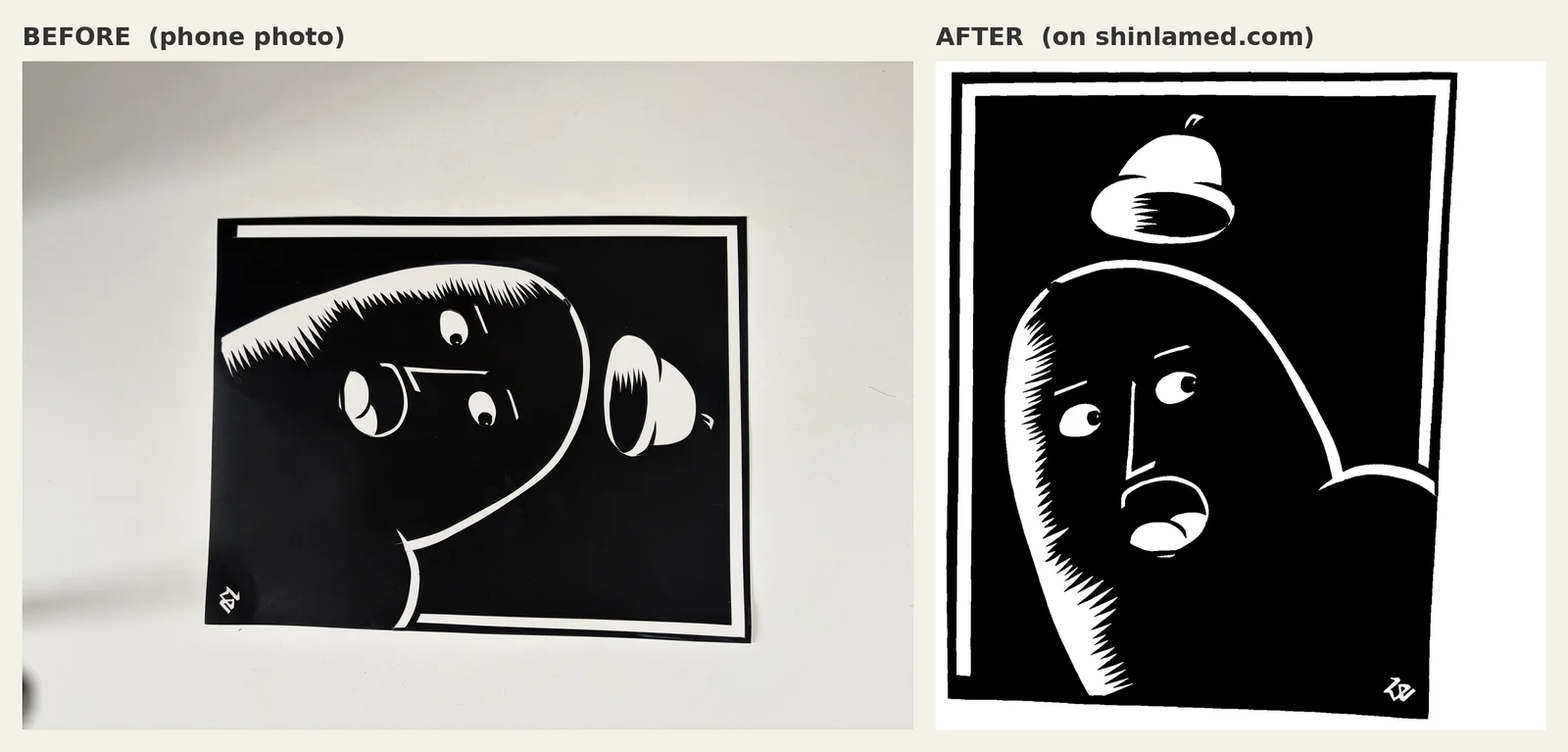 Pinch, double-tap or scroll over the image to zoom. Drag to move.
The honest part:
Not everything came out perfect the first time.
Four pieces went up with no name, as “unnamed”, and without a single word of text. I only noticed a few weeks later when browsing the site.
Instead of getting frustrated, I asked Kinneret, the writing shaliach, to suggest names. She came back with three options for each piece, and I simply picked her top suggestion.
Shinlamed updated the live site on the fly: spiked punch, crying foul, heads up, and ring a bell?.
Each one got the text “hand cut vinyl”. The old links redirect to the new ones, so nothing broke.
Along the way he cleaned up a stray black blob outside the artwork on two of them, and trimmed the leftover white margin at the bottom of ring a bell?.
What came out:
Zero minutes sitting in front of Photoshop or admin dashboards.
I threw photos from my phone and approved results. My site is alive, up to date, and showing the work the way it deserves to be seen.
What to take from this:
One shaliach in charge of one site. When a shaliach owns the job, background removal, CMS and deploy, I can throw raw material at it and get a live update, without managing every step myself.
Preview before you push. Approving in the middle saves fixes after everything is already live.
Whatever “never gets updated” is the best candidate for a shaliach. A personal site that’s been waiting months for maintenance is exactly where one chat moves the needle.